

Aviator Game App Overview
Aviator is a crash game with a rising multiplier that can end at any time. A win only counts after a cash out before the round ends. This guide shows how to install the Mostbet APK file, find Aviator, use demo mode, and locate auto cashout and two bets in the controls. It also highlights key cashier checks to make before real play.
On mobile, access usually comes down to two routes. Android uses an APK, but it should only be downloaded from the official source. On iOS, players normally use a PWA, which adds a shortcut to the home screen instead of installing an APK. The rule is simple: skip files from random pages, because that is where modified or unsafe versions tend to come from.
Android Install Basics
For Android, the baseline requirements are Android 5.0 or newer, a quad core CPU around 1.4 GHz or higher, 2 GB RAM or more, about 100 MB of free storage, and a 480x800 screen or higher. A stable Wi Fi, 3G, or 4G connection matters more than raw speed, because Aviator rounds move fast and lag leads to missed taps.
iOS PWA Setup
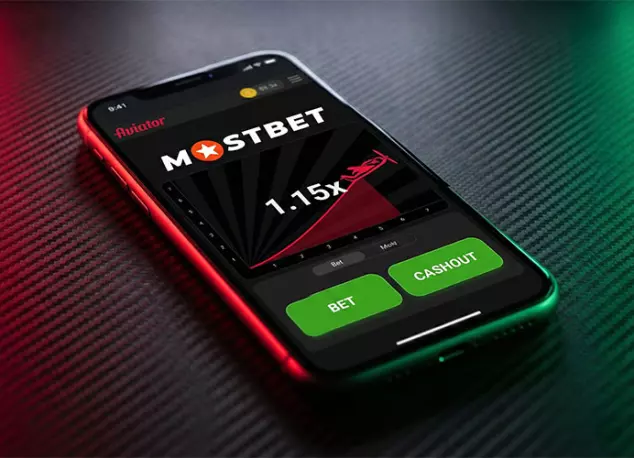
A PWA is the web version saved to the phone like an icon. On iPhone, open the site in Safari, tap Share, then choose Add to Home Screen. Here is the complete installation flow for both platforms:
- Open the site in a mobile browser;
- Go to the Mostbet app section and choose a platform;
- On Android select APK and install it after download;
- On iOS choose PWA and continue in Safari;
- Tap add to the home screen to create the icon;
- Sign in and open the Casino section;
- Search for Aviator in the game list.
Demo Mode
Demo mode runs the same game screen and round pacing, but it uses a play balance instead of real money. Players use it to learn the layout, get used to how fast rounds move, and see how auto cashout behaves at different targets. It is practice for adults of legal age, not a way to predict results.
In the app, the demo is usually labeled on the game screen. The balance should stay separate from the real wallet and should not affect real funds. If the demo label is not there or anything looks off, close the game and open it again before starting a round.
How Aviator Works - Auto Cashout and Two Bets

The app Mostbet Aviator can let a player place two bets in the same round, with separate auto cashout targets for each. One bet is often set to cash out earlier, while the other aims higher. It does not change the game itself, it just changes how and when the cash out happens. To manage these strategies effectively, use these core interface tools:
- Auto bet controls repeat stakes;
- Auto cashout sets an automatic exit point;
- Two bets allow two stake lines in one round;
- Round history shows recent results and pace;
- Chat can appear during live sessions;
- Quick stakes speed up amount selection.
Together, these tools keep the round fast to read and the controls quick to use.
Auto Cashout in the Mostbet App
Auto cashout in the Mostbet app is set inside the Aviator bet block. With two bets, each stake line can have its own auto cashout target. It does not change odds. It only automates the cash out moment.
| Setup | App setting | Best use | Quick check |
|---|---|---|---|
| Training target | Auto cashout on, low target in demo | Learn pacing and timing | Demo label is on |
| One safe, one stretch | Two bets on, Bet 1 lower target, Bet 2 higher target | Split cautious and riskier exits | Targets match each bet block |
| Manual with a backstop | Manual cash out, auto cashout set as backup | Missed taps and lag | Auto cashout is enabled |
| Fixed run routine | Same stake, same target for a short run | Consistent sessions | Auto bet is off after |
| Two bets, two tests | Two bets on, two different targets | Compare targets fast | Target set on the correct line |
Before the round starts, recheck the target value and which bet line has auto cashout enabled.
Betting Panel in the Aviator App
In the Mostbet app, the Aviator betting panel is where a player sets the stake, taps Confirm, and checks options like auto bet and auto cashout before the round begins:
- Change the stake in the amount field, or use the quick buttons to adjust it in one tap. Tap Confirm to lock the bet for the next round. Once the round is live, the only action that matters is cash out.
- Auto bet repeats the same stake each round until it is switched off. It works best when the amount is already set and the player is running a short sequence.
- If two bets are available, the panel shows two separate stake blocks. Set both amounts before the round, then double check which block has auto cashout enabled.